
Sync-Play can realize a group of TVs playing the same program at the same time, and the display effect is more shocking. 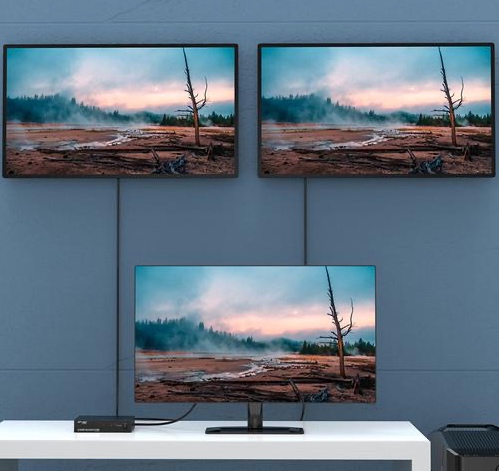 Multi-Play can realize a group of TVs playing a program together to achieve the effect of a splicing screen. Compared with the traditional splitter implementation, it can make full use of the resolution of each TV and display more clearly.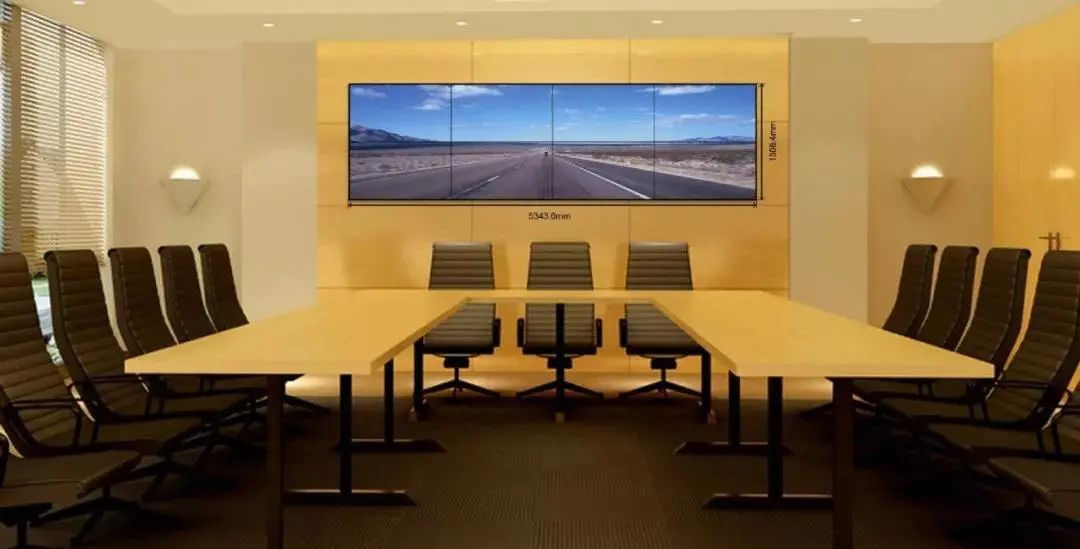
To achieve Sync-Play or Multi-Play, you need to perform the following steps
Create a combined screen
First bind the device according to the normal process;
Create a program group, and then set the group as a combined screen;
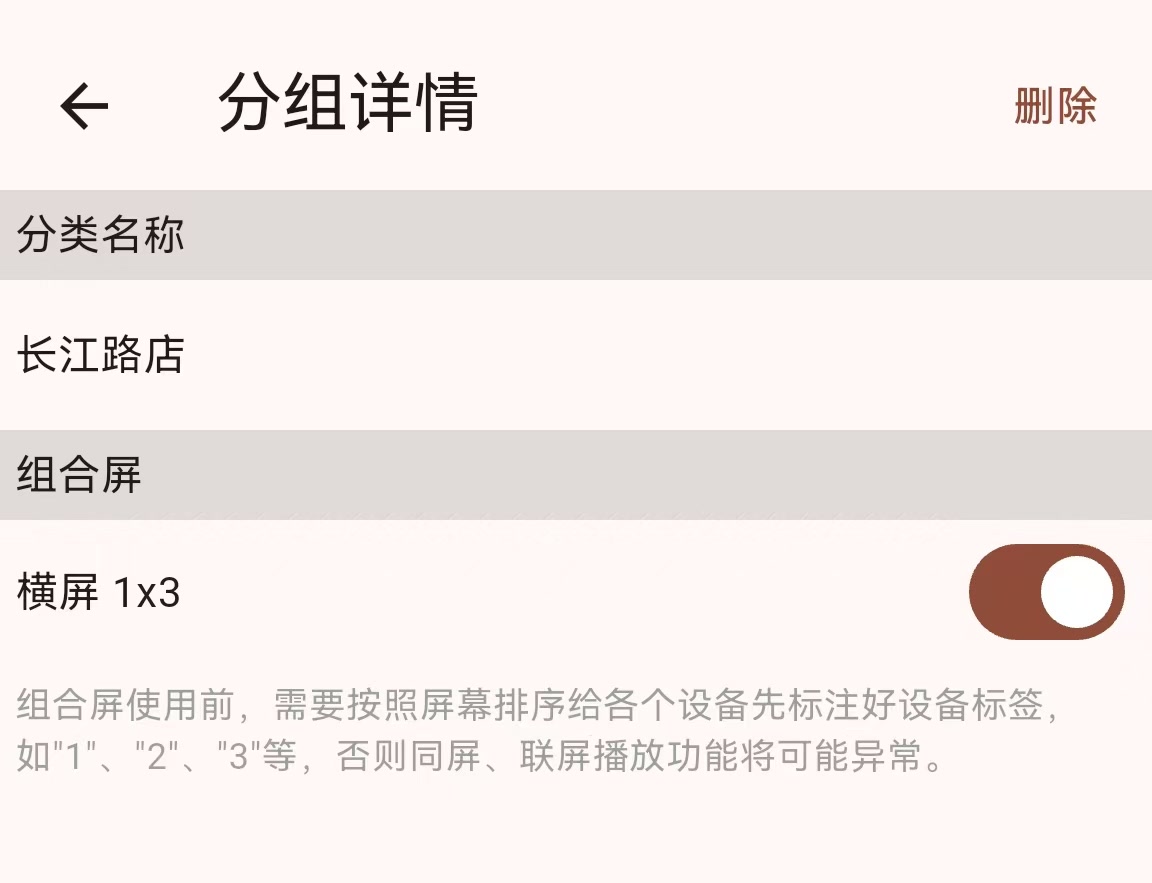
Each device of the combined screen should set the device label according to its position in the combined screen, which is very important;
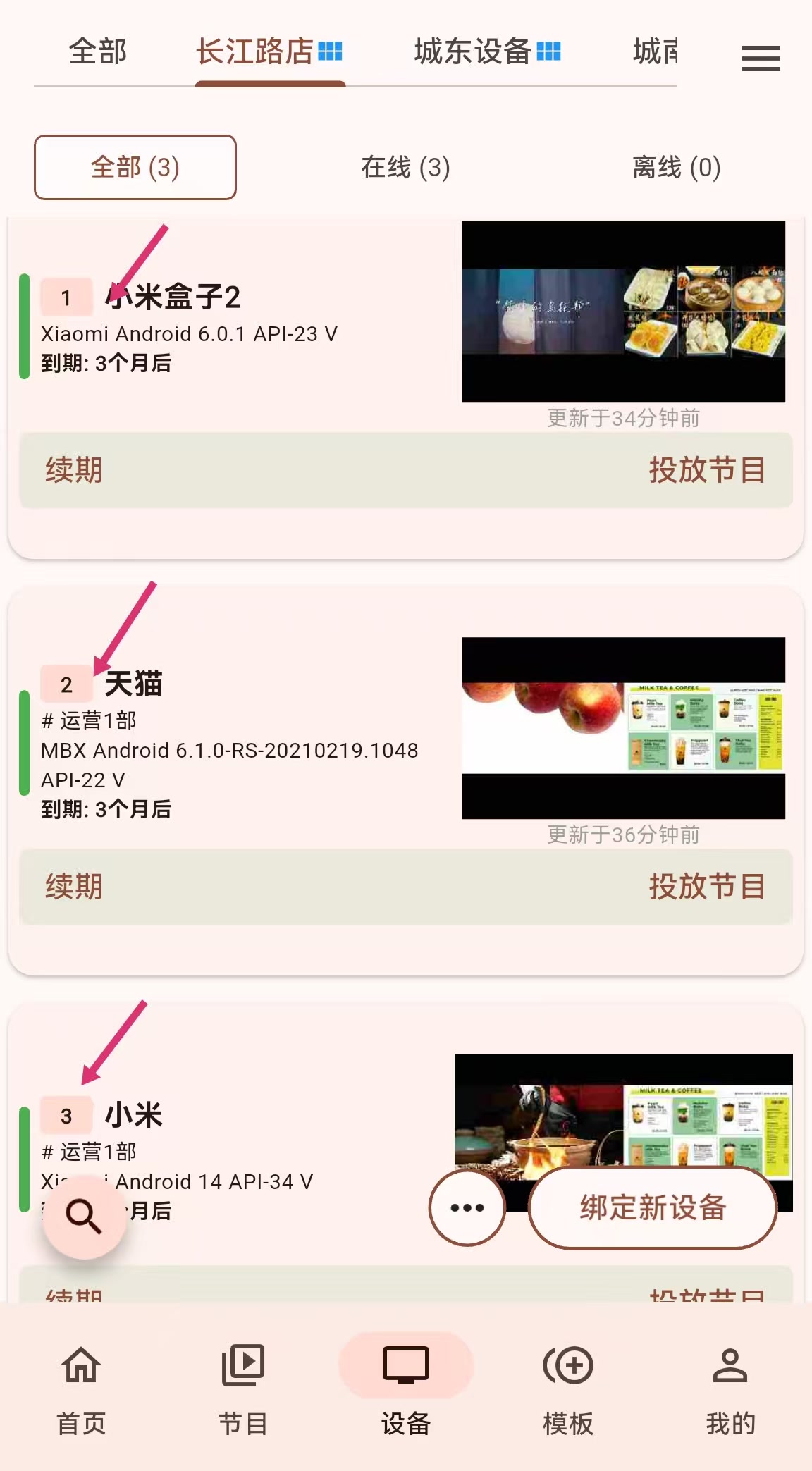
Create a program
Sync-Play program
The Sync-Play program can be produced according to the normal program production process.
Multi-Play program
If you need to realize Multi-Play, you currently need to manually cut the pictures or videos that need to be played into multiple small pictures or videos using picture and video cutting tools, and then make these pictures or videos into program groups in order. Taking a three-screen display as an example, you need to create 3 programs and put them on 3 devices.
Click the setting picture in the upper right corner of the program details interface, and then set the program label and program group in the more program configuration interface 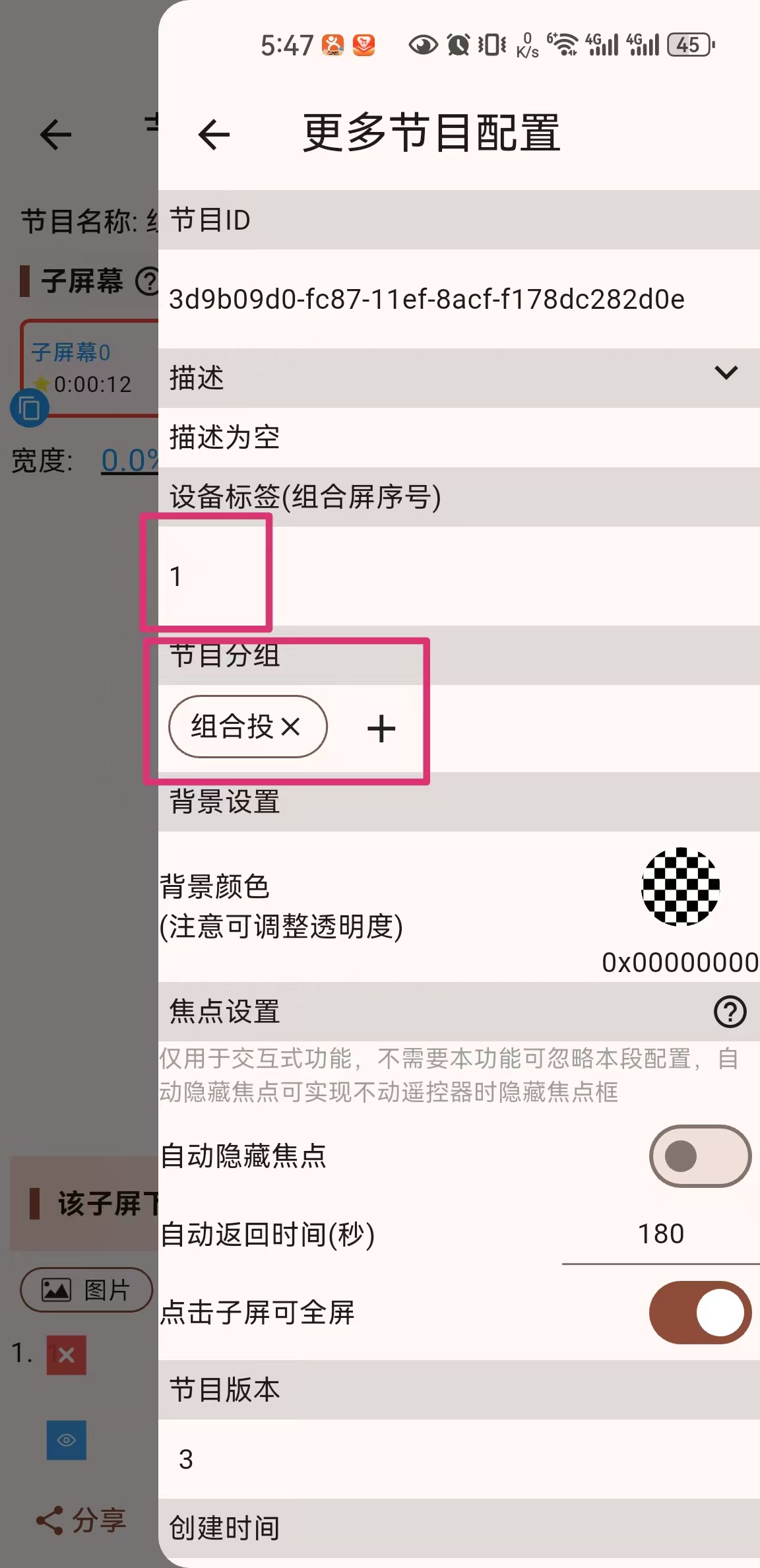
The final effect is as follows: 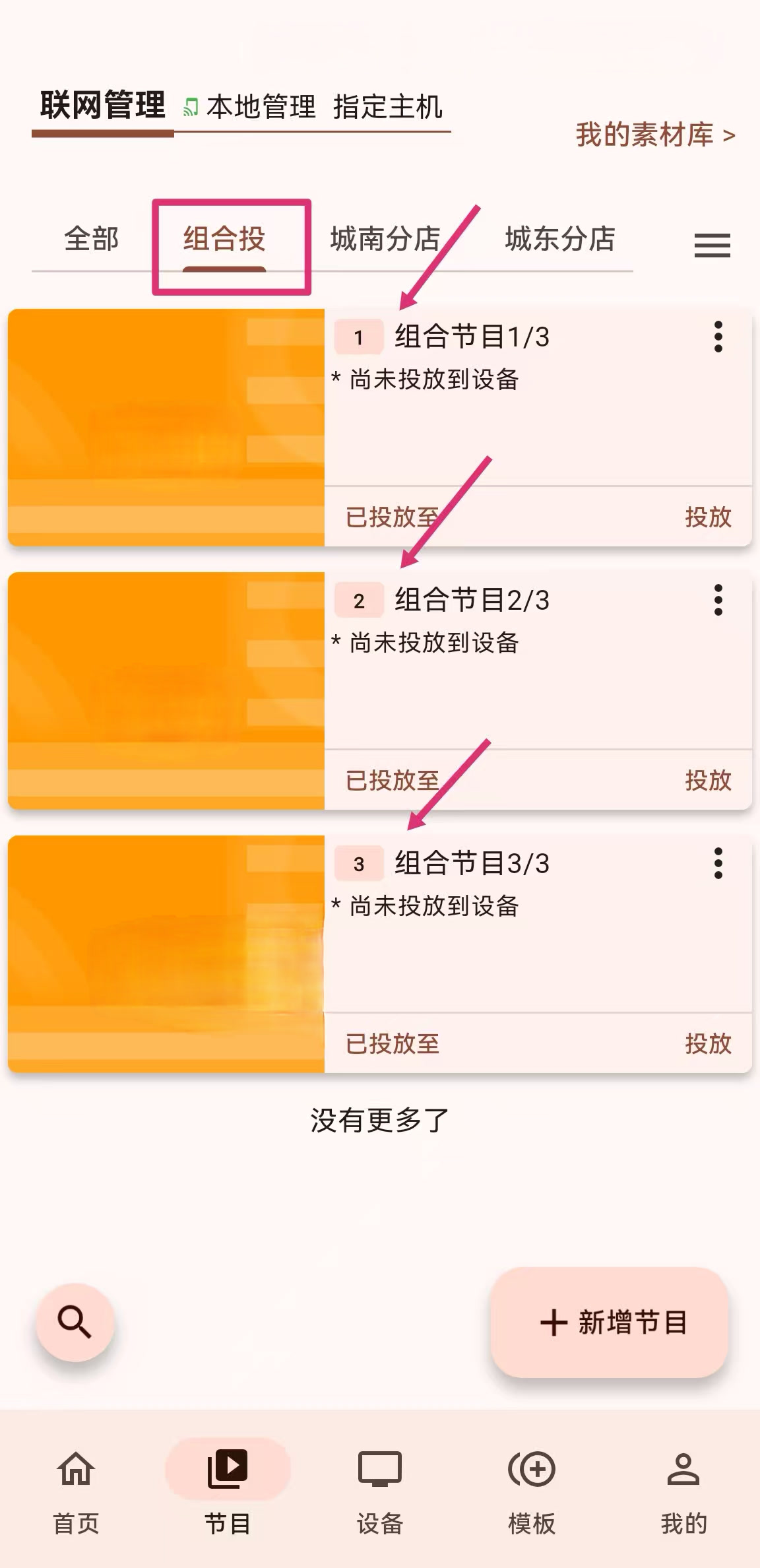
Cast program
Sync-Play Cast
When casting a program, select a device group, and then select the combined screen created above 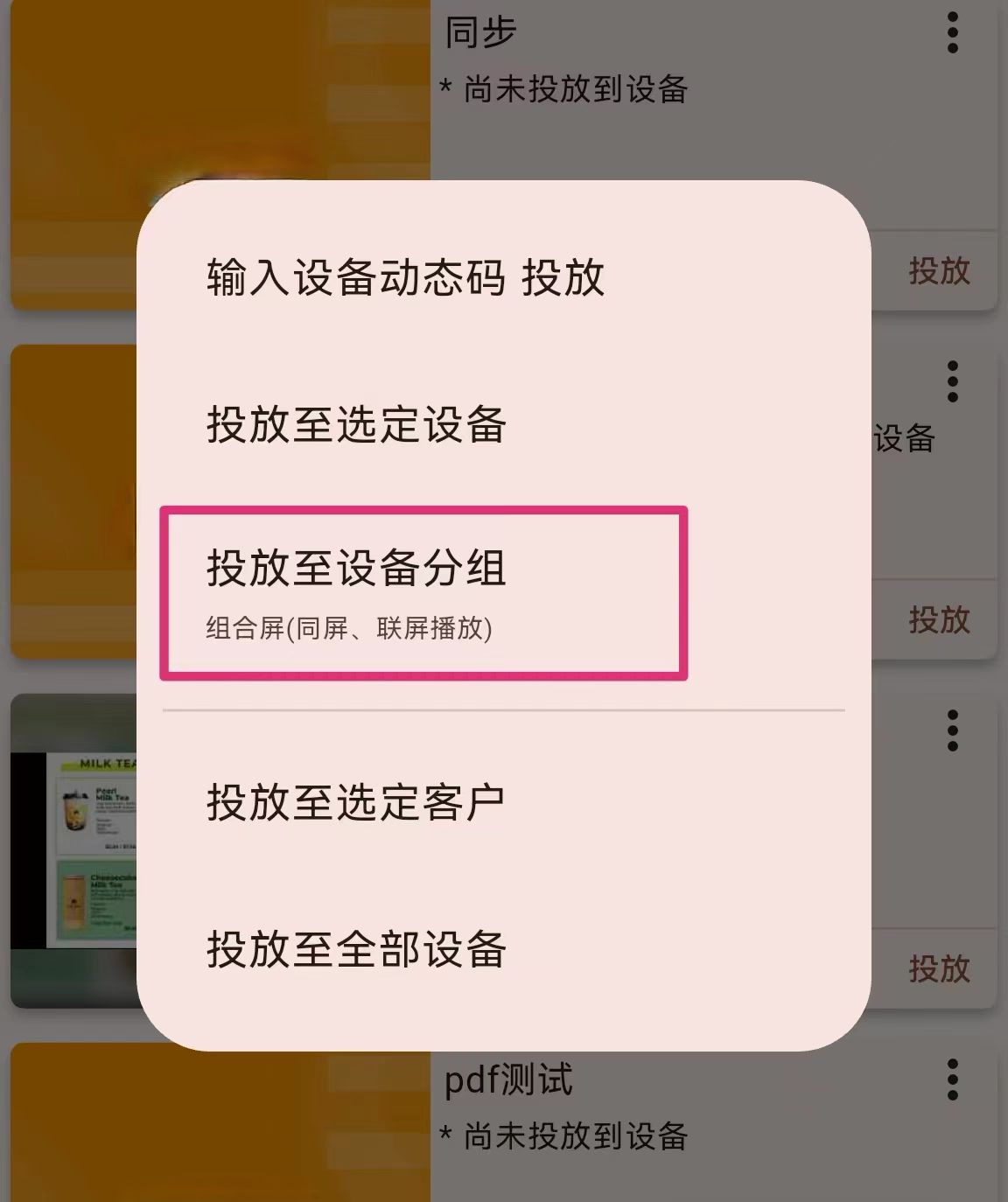
Then click Play Plan for further settings 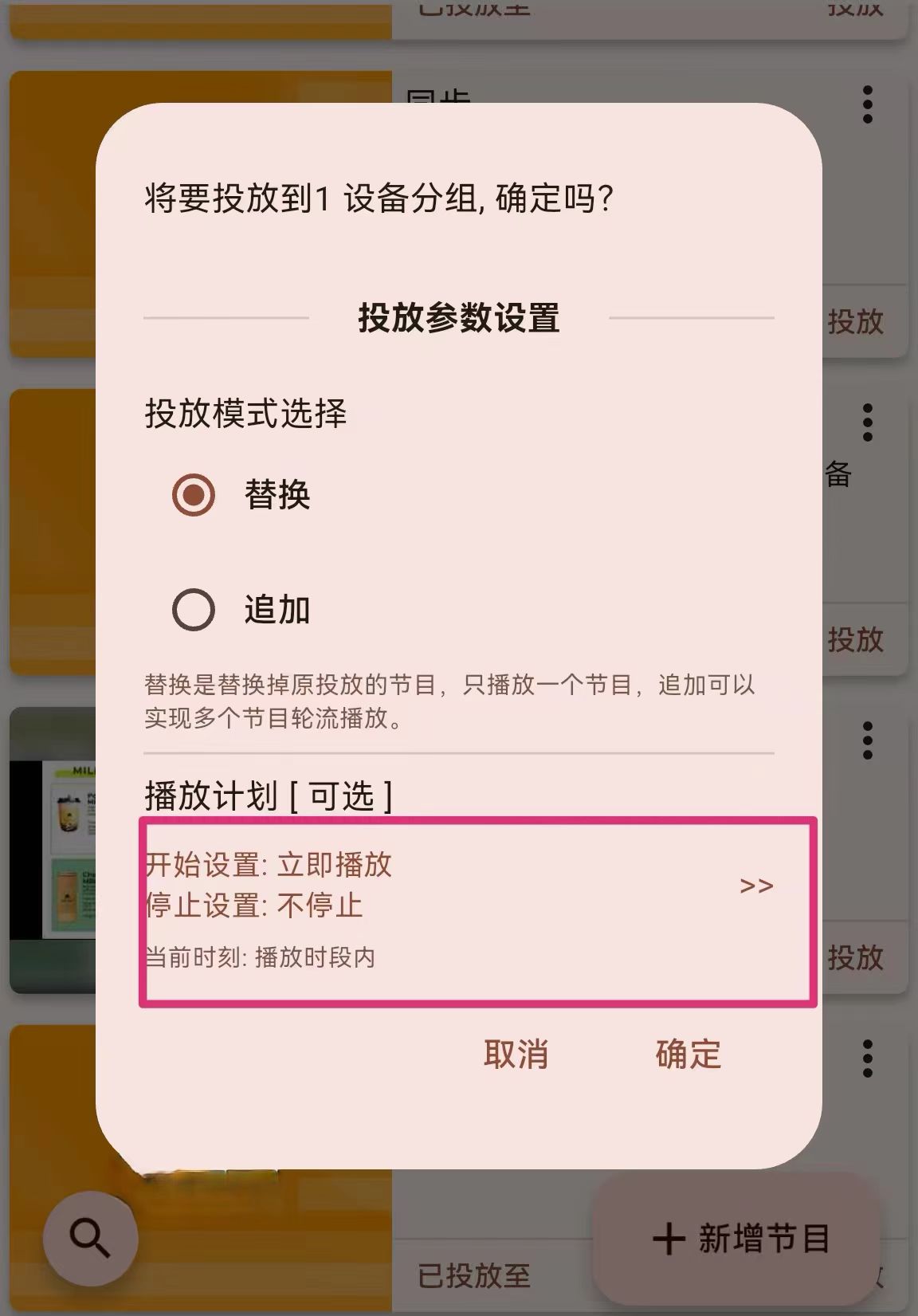
Select the Linkage Play, which is very important, otherwise Sync-Play cannot be realized. 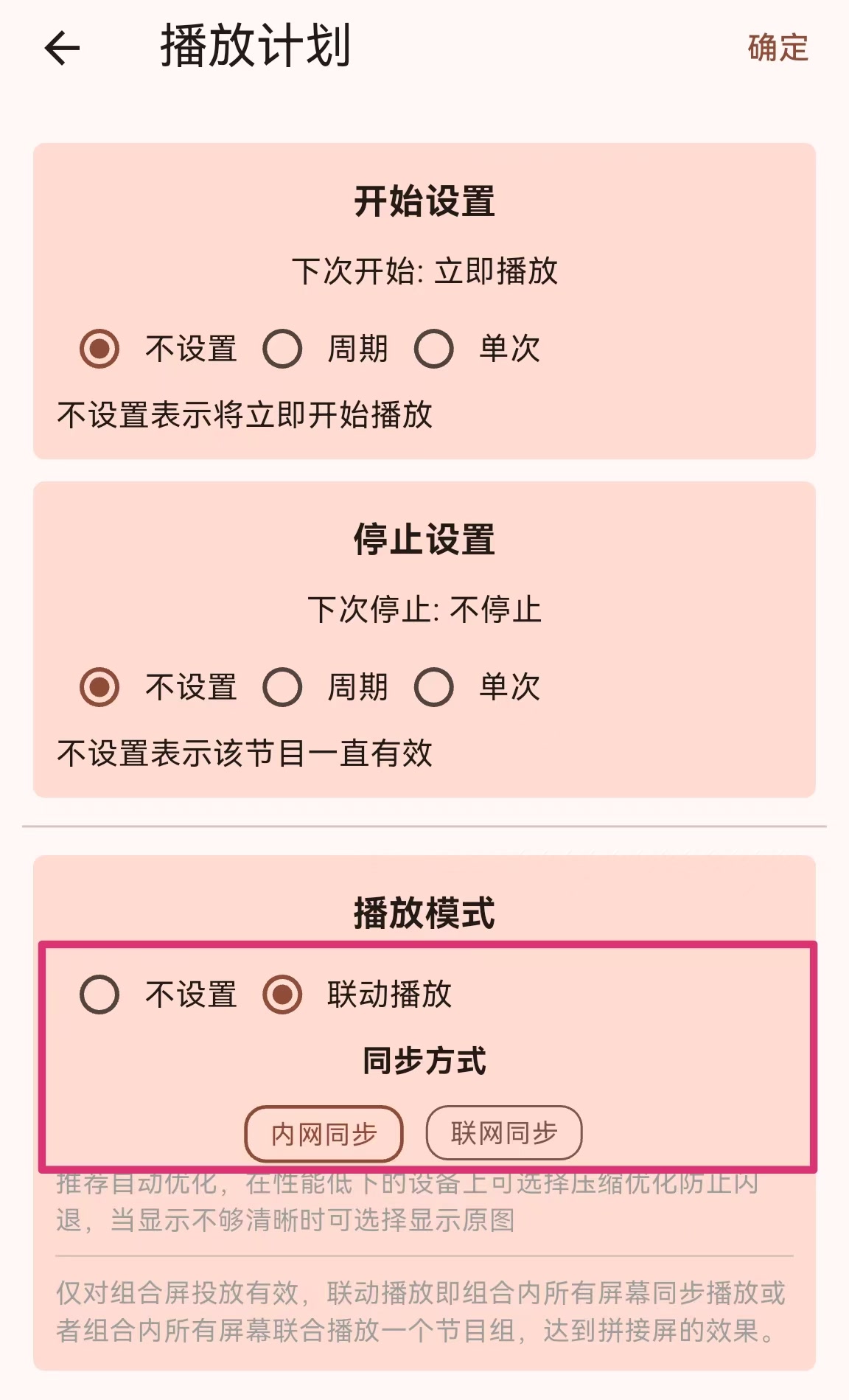
This will realize Sync-Play. Note that if you use intranet synchronization, please connect all devices to the same router. The device with label (serial number) 1 must be turned on, and devices with other serial numbers can be turned on as needed.
Multi-Play Cast
Click the Cast button in the device group list to cast, select the device group, and then select the combined screen created above 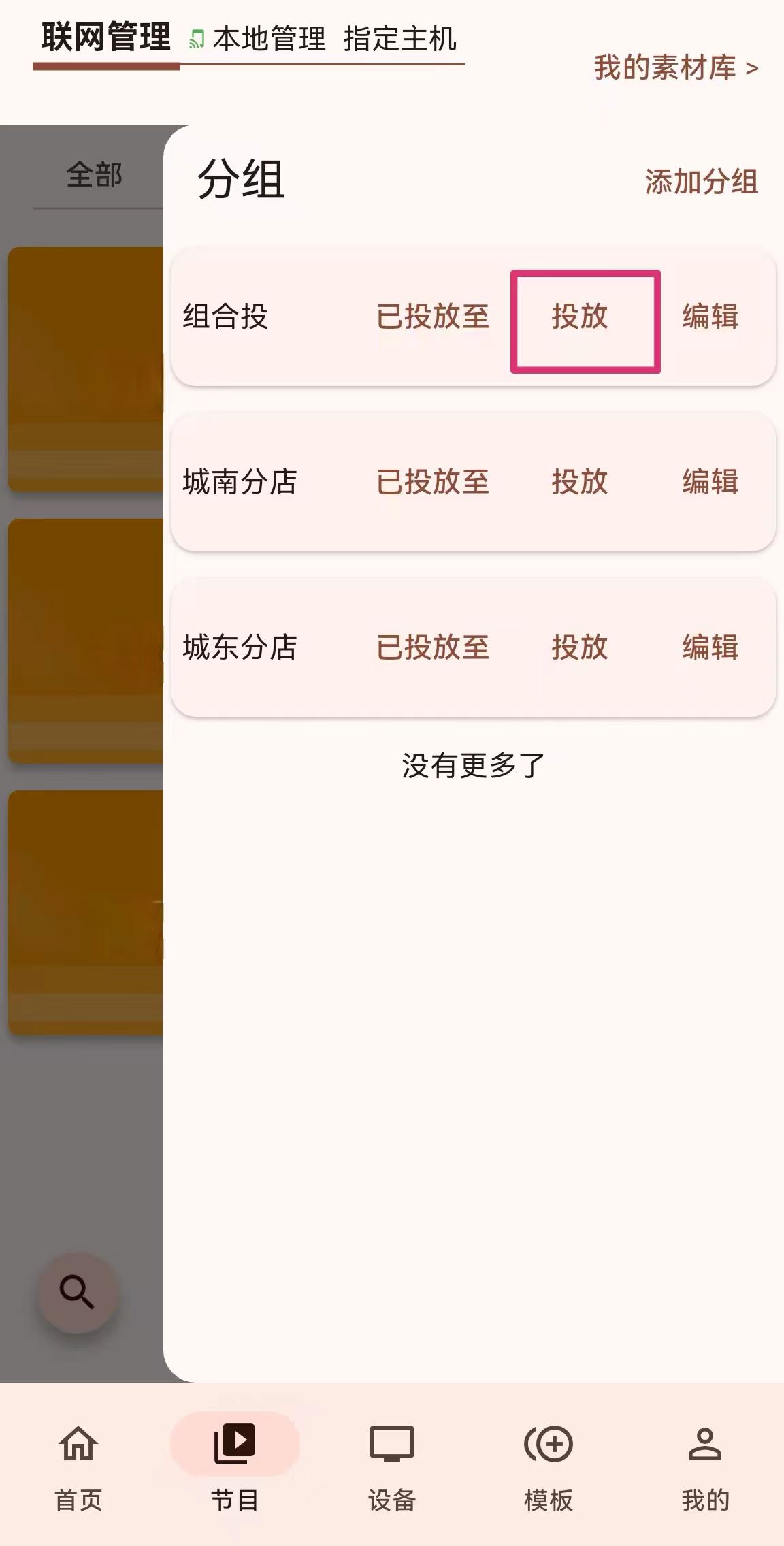
Then click Play Plan for further settings
Select the Linkage Play, which is very important, otherwise Sync-Play cannot be realized.
In this way, devices with the same label will download programs with the same label.
This will realize Multi-Play. Note that if you use intranet synchronization, please connect all devices to the same router. The device with label (serial number) 1 must be turned on, and devices with other serial numbers can be turned on as needed.