
Open this page when you already have a program, but want to adjust more settings at the program level.
For most normal users, these settings do not need to be changed every time. You usually only come here when you want to:
- Add notes or grouping
- Set a consistent program background
- Change the program cover
- Build an interactive program
Open More Program Settings
In the program editing interface, click the Settings icon next to the program details to open More Program Settings.
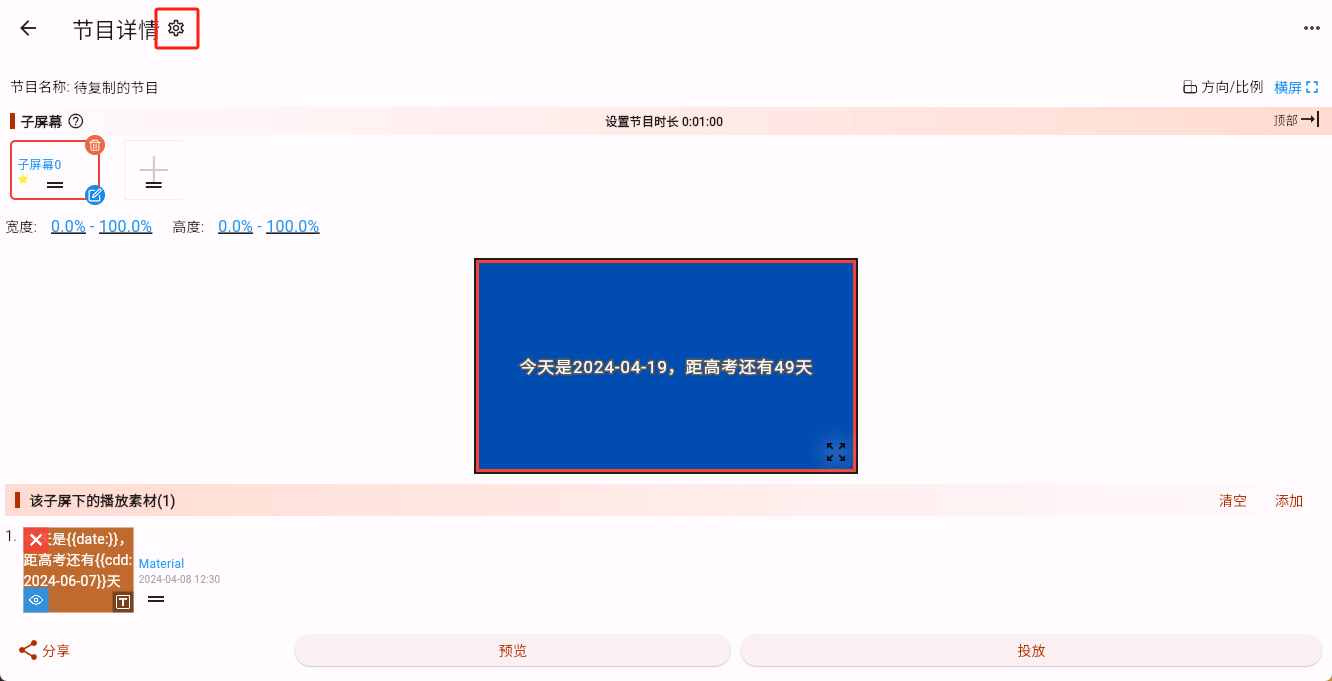
After entering, you will see these additional program parameters:
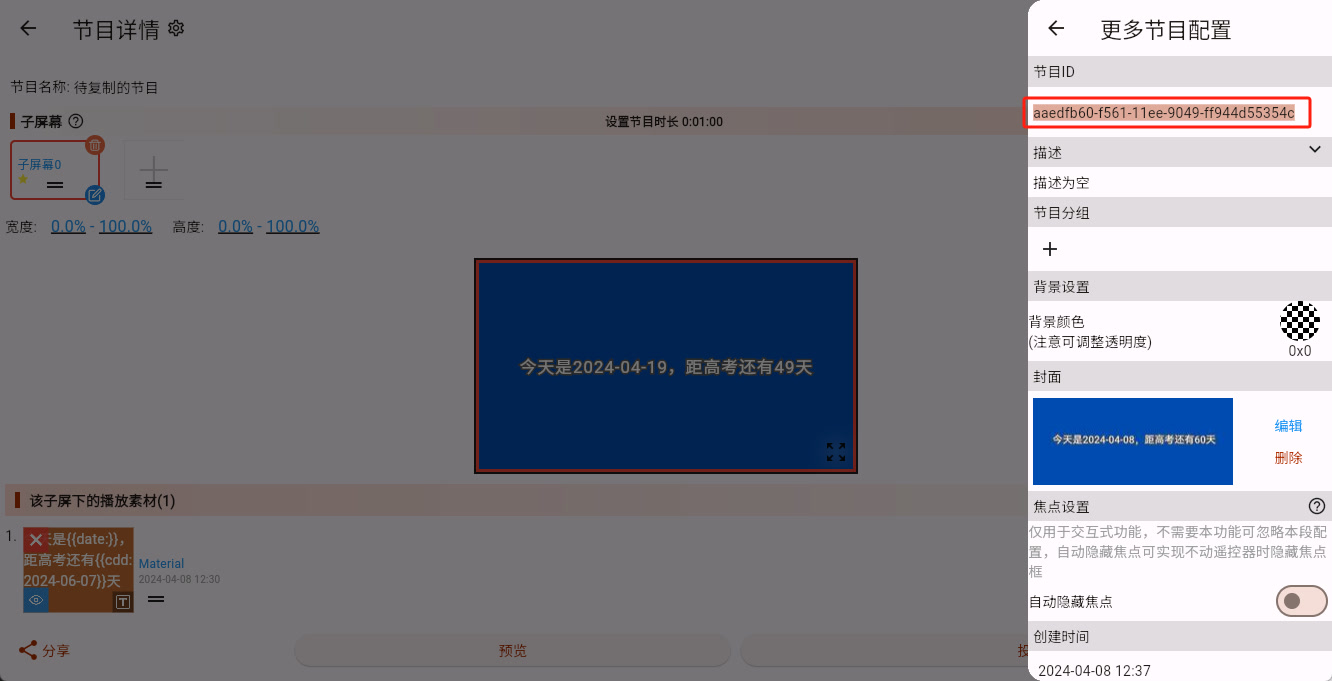
What These Settings Mean
- Description Add a note for the program. It is mainly for your own team to recognize the program later, and it does not directly affect playback.
- Program Grouping Use this to organize programs by use case, location, campaign, store, or other categories. Once you have many programs, grouping makes them easier to find and manage.
- Background Settings Set a background color for the whole program. This is especially useful when publishing the same program to multiple platforms, because different platforms may have different default background colors. If you want the same visual result across Android, Windows, Linux, and others, it is better to set a specific background color here.
- Cover This is the thumbnail shown in the program list. If you do not set it, the system usually uses the default image.
- Focus Settings This is mainly for interactive programs. Interactive programs may need to show which sub-screen currently has focus, and this setting controls that behavior.
What a Beginner Usually Needs to Care About
If you are only making normal programs and publishing them normally, you usually only need to pay attention to:
- Program Grouping
- Background Settings
- Cover
If you are not making an interactive program, you can usually ignore Focus Settings for now.